Writing a Pattern
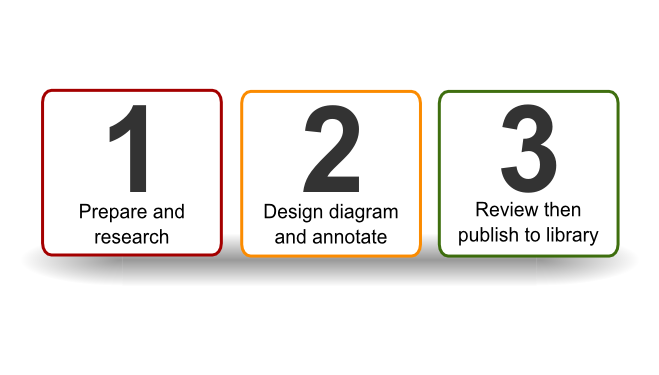
Step 1- Prepare and Research
Choose pattern topic
Decide on the pattern you are going to tackle.
- What OSA area will the pattern be part of? (see OSA landscape)
- What use cases do you want to cover?
- Has anyone else started to address this area? (check our Google Groups page)
- How wide will you make the scope?
It's best to discuss and seek advice at this stage before dedicating time to writing. A draft pattern takes at least 8-10 hours to put together, assuming you are fairly expert in the given field. This increases dramatically if you are trying to work in an area where you not a subject matter expert. Most patterns need a further 4-5 rounds of revision before they stabilize and reach a suitable quality level.
Reserve pattern number
Post into the thread to reserve the next free pattern number from the OSA forums making sure you specify the pattern you will be writing.
Get the latest templates
Download the latest templates and icon packs. Extract the icon pack, the standard pack includes SVG and PNG, but you should only use the SVG versions for creating your pattern (we may drop PNG from future release to avoid confusion).
Extract the pattern template pack. The standard pack includes:
- SVG visual pattern template that will be used to create the pattern
- Open Office pattern template which should be used to record the attributes, and where the SVG will be embedded (this may not be needed any more?)
- HTML pattern template which records the same information as i) and ii) and allows us to port the pattern to the website
- list of controls in HTML format, so you can more quickly build the html version of the pattern by pasting the appropriate control hyperlinks.
Rename the files to the naming convention YY_MM_vv_Pattern_XXX_NAME where YY_MM is major release e.g. 08_02, vv is version starting from 01, XXX is the next free pattern number e.g. 006, and NAME is the descriptive name of the pattern e.g. Wireless_guest.
Research pattern topic
Research the pattern and collect references. You may want to check NIST who have a lot of excellent reference materials. Often vendor sites such as MicroSoft, CISCO and so on will all have useful reference materials. Security specific sites such as SANS, ITSecurity, OWASP and DarkReading may help. Consider checking vulnerabilities for the area you are researching with sites like Secunia. Any authors or materials that inform your pattern on should be credited with the appropriate links. You should not plagiarize materials under any circumstances.
The following prompts can help to author the pattern:
- Usage scenarios: how will the pattern be used.
- Threats: Consider the threats that you are trying to mitigate.
- Efficiency: Consider which controls are expensive or hard to implement.
- Best practice: Think what good looks like for the problem you are trying to solve, and relative to the industry you are in.
- Wisdom of the crowd: Post thoughts and questions to the bulletin board.
The core team find it useful to let a pattern rest for a while and look at it with fresh pair of eyes after a few weeks. The collected information should be distilled into the HTML pattern wrapper.
Step 2- Design and annotate diagram
Design the diagram
Now it's time to construct the visual pattern using Inkscape. Generally it is easiest to start constructing the pattern by populating the modules you will use into the SVG template. This way you can quickly build up the basic components and inherit the majority of controls you will need to reference. Open the SVG template and note that you already have all controls included with predefined hyperlinks. This allows you to quickly cut and paste to annotate your pattern. Use the import function [File|Import] to bring in SVG icons or parts of other patterns. Consider how the modules will connect and lay them out on a Inkscape document of 780x780 pixels [File|Document Properties], so that it the reader can naturally follow the flow. It preferable to follow a left to right or top to bottom structure.
Annotate the diagram with controls references
Add references for controls used in your pattern to the HTML wrapper, these are available from the HTML controls template in the library.
Step 3- Review and publish
Review in Bulletin Board
Upload your pattern and HTML wrapper into a new thread in the pattern section of the OSA forum for review. Monitor feedback for 2-4 weeks, incorporate suggestions as needed.
Publish to library
Ask one of the core team to publish into the pattern library. Email This email address is being protected from spambots. You need JavaScript enabled to view it.